Having a character walking around is pretty cool, however not having a map or anything to walk around to is pretty boring. Lets add some background stuff in our map. To start off we need to define what types of tiles we can have in our world. Zig provides enums which are similar to those found in languages such as C or Rust. We will make an enum of the tiletypes to get started.
const TileTypes = enum {
    Wall,
    Floor,
};
 pub const State = struct {
    player: Player,
    allocator: std.mem.Allocator,
    map: std.ArrayList(TileTypes),
};
var player: Player = undefined; as our global state now holds that data. We also initial our allocator in global scope. We do this in order to avoid memory leaks as we need to properly destory the allocator at the end of our code. Because of need of cleanup, zRogue has a fourth function we can create and run called cleanup. We will add that as well.
var state: State = undefined;
var gpa: std.heap.GeneralPurposeAllocator(.{}) = undefined;

pub fn init() !void {
    gpa = std.heap.GeneralPurposeAllocator(.{}){};
    const allocator = gpa.allocator();

    state = .{
        .player = .{
            .x = 10,
            .y = 10,
            .foreground_color = s.TEAL,
            .background_color = s.BLACK,
            .sprite = '@',
        },
        .allocator = allocator,
        .map = ???

    };
}
pub fn cleanup() !void {
    _ = gpa.deinit();
}
pub fn index(x: f32, y: f32) usize {
    const idx = @as(usize, @intFromFloat((y * 80) + x));
    return idx;
}

pub fn newMap() !std.ArrayList(TileTypes) {
    map = try std.ArrayList(TileTypes).initCapacity(state.allocator, 80 * 50);

    for (0..(80 * 50)) |i| {
        try map.insert(i, TileTypes.Floor);
    }

    var x: f32 = 0;
    while (x < 80) : (x += 1) {
        map.items[index(x, 0)] = TileTypes.Wall;
        map.items[index(x, 49)] = TileTypes.Wall;
    }
    var y: f32 = 0;
    while (y < 50) : (y += 1) {
        map.items[index(0, y)] = TileTypes.Wall;
        map.items[index(79, y)] = TileTypes.Wall;
    }

    const rand = app.rng.random();

    var i: f32 = 0;
    while (i < 400) : (i += 1) {
        const rand_x = rand.float(f32) * 79.0;
        const rand_y = rand.float(f32) * 49.0;
        const rand_idx = index(rand_x, rand_y);
        if (rand_idx != index(40, 25)) {
            map.items[rand_idx] = TileTypes.Wall;
        }
    }

    return map;
}
pub fn init() !void {
    ...
    state = .{
        .player = .{
            .x = 10,
            .y = 10,
            .foreground_color = s.TEAL,
            .background_color = s.BLACK,
            .sprite = '@',
        },
        .allocator = allocator,
        .map = try newMap()

    };
}
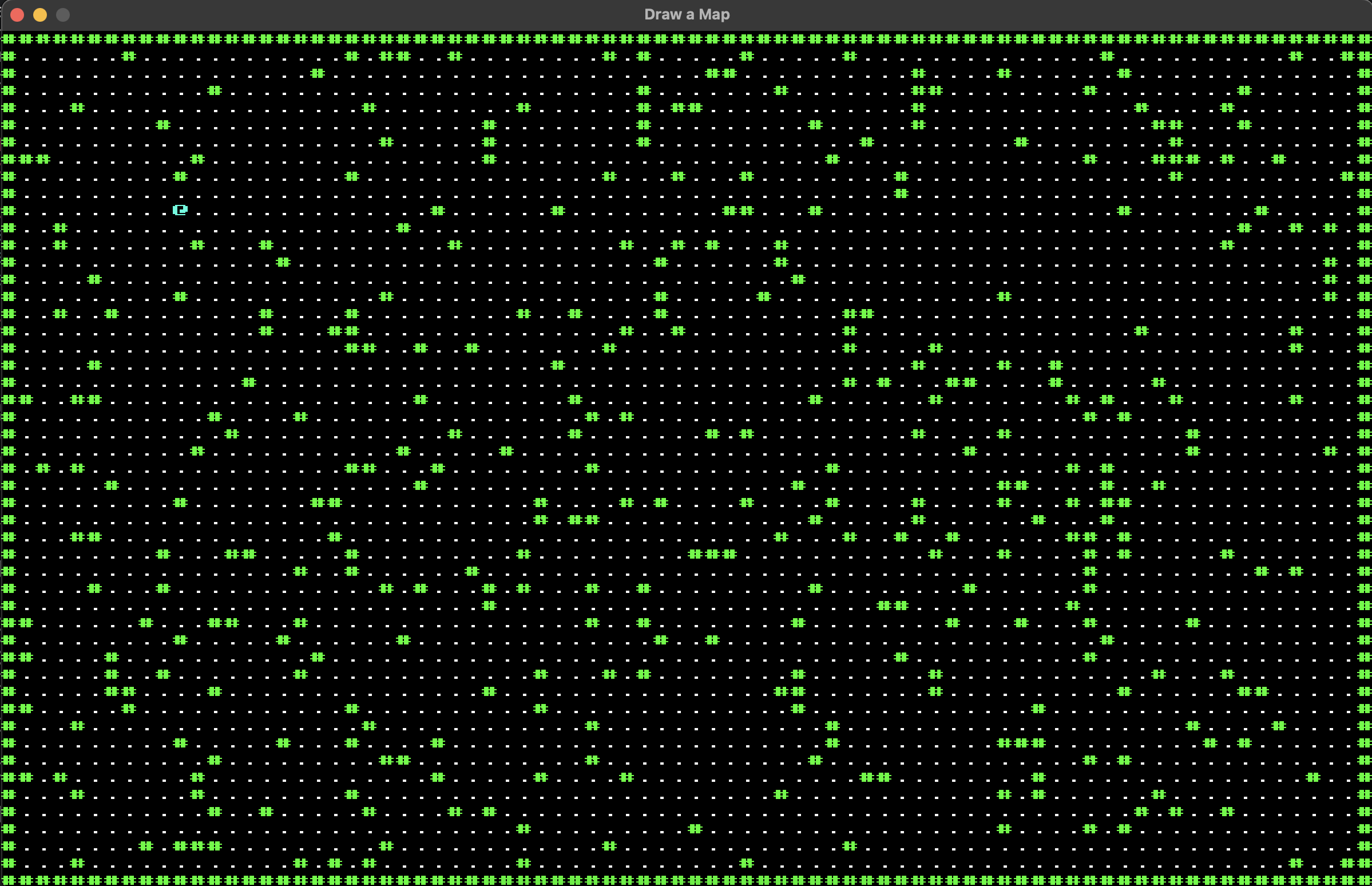
Now that we have a slightly more interesting map, we need to add collisions to our player. We will do this by adding a method on our struct. While not traditional OOP, zig does allow you to have methods attached to data structures, similar to what rust allows you to do with impl. In our state we can write a function that will check. We can go ahead an implement a collision function within our state struct. It will look like this.
 pub const State = struct {
    player: Player,
    allocator: std.mem.Allocator,
    map: std.ArrayList(TileTypes),

    pub fn tryToMove(self: *Self, delta_x: f32, delta_y: f32) void {
        const destination_idx = index(self.player.pos.x + delta_x,
            self.player.pos.y + delta_y);
        if (self.map.tiles.items[destination_idx] != TileTypes.Wall) {
            self.player.pos.x = @min(79, @max(0, self.player.pos.x
                + delta_x));
            self.player.pos.y = @min(49, @max(0, self.player.pos.y
                + delta_y));
        }
    }
}
        pub fn input(event: *app.Event) !void {
    if (event.isKeyDown(app.KEY_A)) {
        state.tryToMove(-1, 0);
    }
    if (event.isKeyDown(app.KEY_D)) {
        state.tryToMove(1, 0);
    }
    if (event.isKeyDown(app.KEY_W)) {
        state.tryToMove(0, -1);
    }
    if (event.isKeyDown(app.KEY_S)) {
        state.tryToMove(0, 1);
    }
}