zRogue Roguelike Tutorial
Welcome to the zRogue roguelike tutorial. This is a project that is designed to give new comers to zig a fun way to become familiar with the language. In addition to learning more about zig, this aims to help make a simple project that you can be proud of. This project was heavily inspired by Roguelike Tutorial - In Rust. Learning Rust with that tutorial ushered me into a lower level approach to programming as up until the point I built my first little game I had only worked in higher level languages such as python. I fell in love with the control over the system. However after spending a year working with Rust in small projects, I really was tired of some aspects of the Rust language. During this time, I started experimenting with other languages and came across Zig. The language was incredibly intuitive and was beautiful to me. Additionally, the community was fantastic. I wanted to share the experience I had learning Rust but in a language, that in my opinion, is more fun to work in. This is an attempt to provide that. It should be known that this project is a work in progress. The library is subject to change, and this tutorial may change radically over time.
Prerequisets
In order to get started, there are several things that you will be needing. First you need to download the zig programming language. This can be done from here ziglang.com. As of the time of writing this, zRogue is not compatible with windows. This will hopefully change soon, but I primarily work between mac and linux. Several other things include libexpoy for our rendering, and compiled copy of SDL2.
Extra Help
This tutorial expects you to understand the basics of programming. Additionally, there are topics that will not be spoken about very heavily. If you want to get a fast course introduction I highly recommend Ziglings. It is a very fast paced run through of Zig that teaches you most of the key words and 'zig' way of doing things. Additionally, if you have other questions or want to give feedback please do! You can email me at HERE.
Getting Started
Zig can be installed via brew on Mac by simply running the following command.
brew install zigzigup 0.12.1.
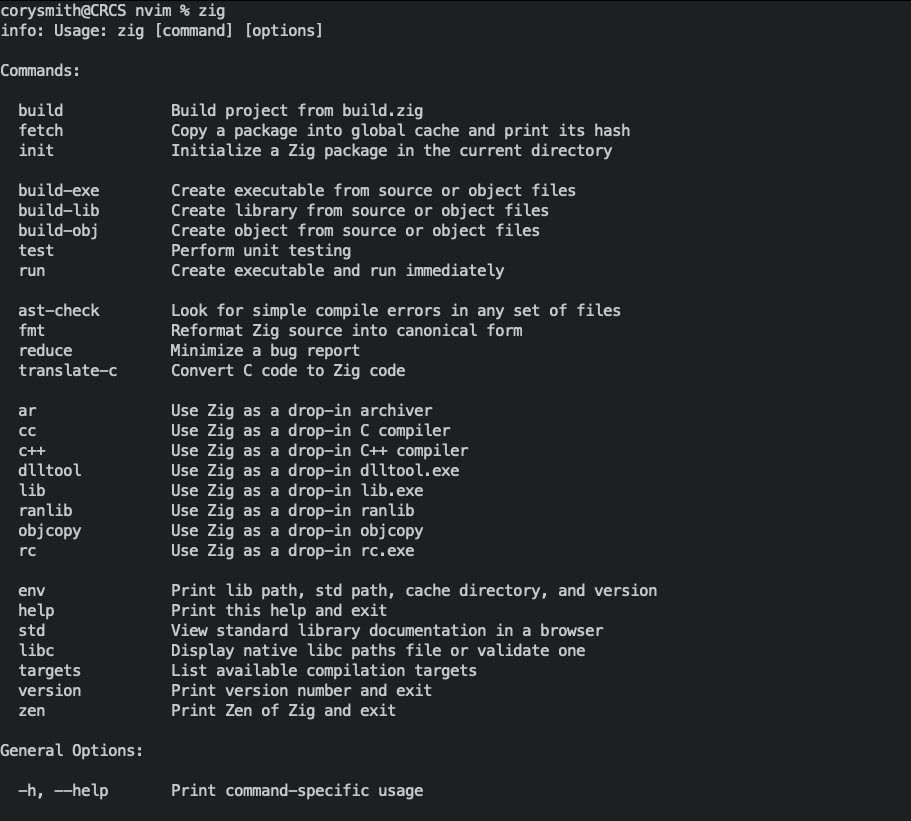
You should check to make sure you can run zig. Simple from the CLI run zig. You should see all the compiler options. You should see the following:
After you have the compiler working, you will need a zig LSP to get autocomplete. As a note, the LSP is still a work in progress and needs to be restarted frequently. I use neovim and zls is downloadable from there. In vscode you simply need to install the Zig extension from the extension store.